
How to create a folder or a file with cPanel's File Manager ?
Here's how to create a folder or a file with cPanel's File Manager
- Log into your cPanel interface "https://www.domainname.com:2083" or by going through your client area.
- In the Files section of cPanel, click on the File Manager Icon.

- Click on the + Folder Icon.

- In the New Folder Name field, enter your folder name like my-folder (without the quotes). Then click on the Create New Folder button.

How to create a new file like myfile.txt?
- Connect to your cPanel interface "https://www.domainname.com:2083" or by going through your client area.
- In the Files section, click on the File Manager Icon.
- Click on the New File Icon.
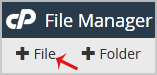
- In the New Filename Field, enter your filename like MyFile.txt (without the quotes). Then click on the Create New File button.
Updated on: 16/07/2026
Thank you!